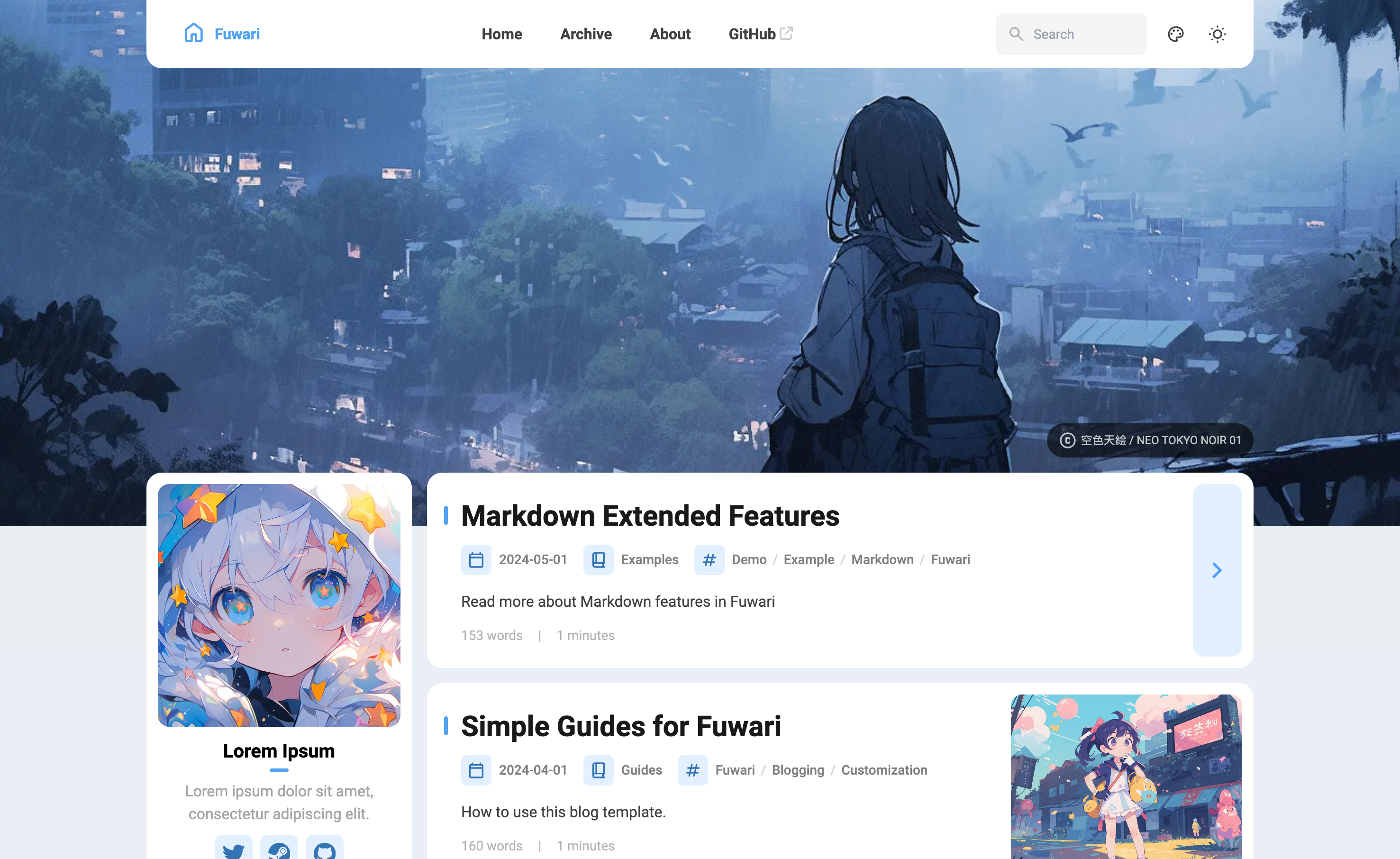
🍥Fuwari




A static blog template built with Astro.
🌏 README in 中文 / 日本語 / 한국어 / Español / ไทย / Tiếng Việt / Bahasa Indonesia (Provided by the community and may not always be up-to-date)
✨ Features
- Built with Astro and Tailwind CSS
- Smooth animations and page transitions
- Light / dark mode
- Customizable theme colors & banner
- Responsive design
- Search functionality with Pagefind
- Markdown extended features
- Table of contents
- RSS feed
🚀 Getting Started
- Create your blog repository:
- Generate a new repository from this template or fork this repository.
- Or run one of the following commands:
npm create fuwari@latest
yarn create fuwari
pnpm create fuwari@latest
bun create fuwari@latest
deno run -A npm:create-fuwari@latest
- To edit your blog locally, clone your repository, run
pnpm installto install dependencies.- Install pnpm
npm install -g pnpmif you haven't.
- Install pnpm
- Edit the config file
src/config.tsto customize your blog. - Run
pnpm new-post <filename>to create a new post and edit it insrc/content/posts/. - Deploy your blog to Vercel, Netlify, GitHub Pages, etc. following the guides. You need to edit the site configuration in
astro.config.mjsbefore deployment.
📝 Frontmatter of Posts
---
title: My First Blog Post
published: 2023-09-09
description: This is the first post of my new Astro blog.
image: ./cover.jpg
tags: [Foo, Bar]
category: Front-end
draft: false
lang: jp      # Set only if the post's language differs from the site's language in `config.ts`
---
🧩 Markdown Extended Syntax
In addition to Astro's default support for GitHub Flavored Markdown, several extra Markdown features are included:
- Admonitions (Preview and Usage)
- GitHub repository cards (Preview and Usage)
- Enhanced code blocks with Expressive Code (Preview / Docs)
⚡ Commands
All commands are run from the root of the project, from a terminal:
| Command | Action |
|---|---|
pnpm install |
Installs dependencies |
pnpm dev |
Starts local dev server at localhost:4321 |
pnpm build |
Build your production site to ./dist/ |
pnpm preview |
Preview your build locally, before deploying |
pnpm check |
Run checks for errors in your code |
pnpm format |
Format your code using Biome |
pnpm new-post <filename> |
Create a new post |
pnpm astro ... |
Run CLI commands like astro add, astro check |
pnpm astro --help |
Get help using the Astro CLI |
✏️ Contributing
Check out the Contributing Guide for details on how to contribute to this project.
📄 License
This project is licensed under the MIT License.